dsh-mermaid
Render Mermaid code fences as interactive SVG diagrams in DSH Web messages
Install
dsh plugin --profile web add github:AKS1st/dsh-mermaid Screenshots 3
dsh-mermaid
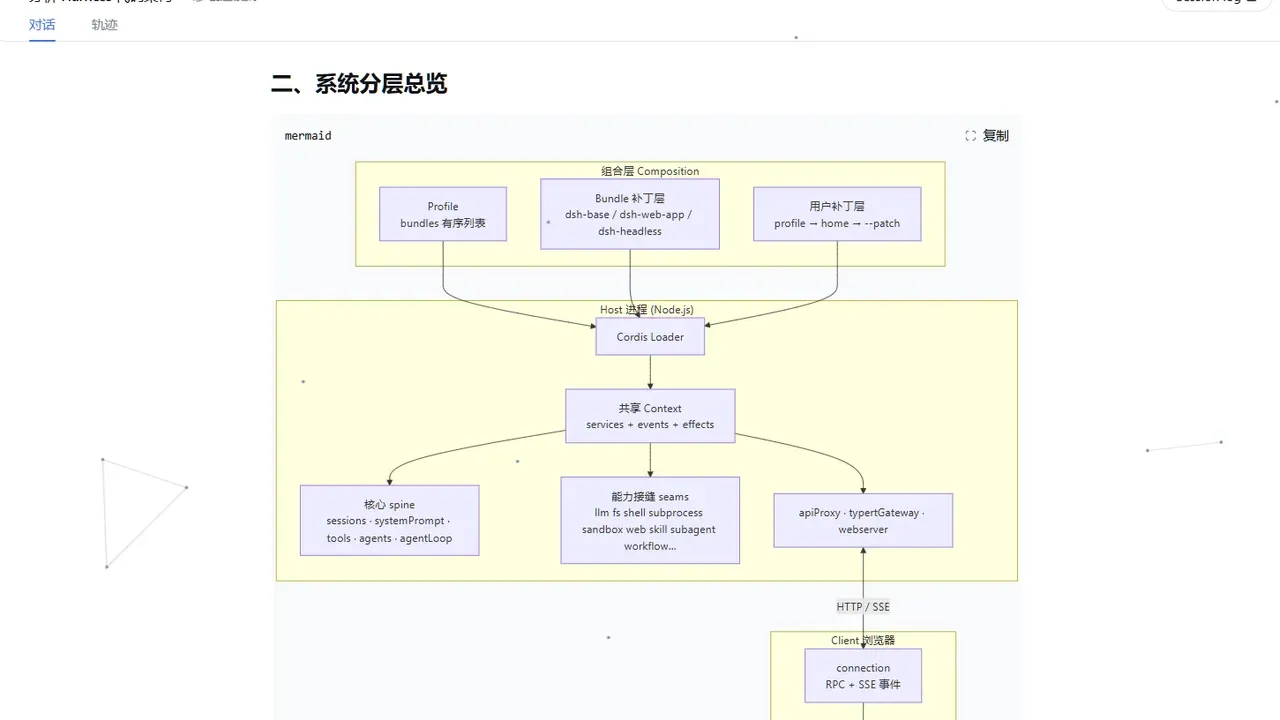
Mermaid code fences in the conversation become zoomable, draggable SVG diagrams.
What problem it solves
Mermaid blocks in DSH conversations only show source, not a picture. This plugin renders ```mermaid ` code fences as SVG diagrams: viewport-driven rendering (with a 300px preload margin, it draws as you scroll) and an async queue that renders one at a time while yielding the main thread, so long conversations stay responsive. The chart theme follows the GUI light/dark mode, and a fullscreen overlay adds wheel zoom plus drag-to-pan with the left or middle button.
Performance and safety are handled too: the ~700KB mermaid library loads on demand only when a fence actually appears, never in the startup bundle (the client is ~10KB, ~4KB gzip). securityLevel is locked to strict with labels sanitized by DOMPurify and no bound click handlers; on render failure the source block is kept with a copyable error summary that can be sent to the AI for fixing.
Key features
- Fence to SVG: ```mermaid ` renders as SVG, with the language banner and copy button preserved (copy still copies source)
- Viewport-driven rendering: a 300px preload margin; draws as you scroll
- Async queue: multiple diagrams render one at a time, yielding the main thread
- Theme follows the GUI:
theme: autotracks light/dark and re-renders in-view diagrams on switch - Fullscreen overlay: wheel zoom, drag-to-pan, close with Esc or background click
- On-demand loading: the ~700KB mermaid bundle loads lazily, outside the boot graph
- Safe rendering:
securityLevellocked tostrict, DOMPurify-sanitized, no click handlers - Visible failures: keep the source block plus an error summary you can copy or send to the AI
Quick start
dsh plugin --profile web add github:AKS1st/dsh-mermaid
dsh web   # restart the web service
After installing, just have the agent emit a mermaid diagram; it renders once the fence finalizes. Defaults are theme: auto, maxTextSize: 50000, maxEdges: 2000, securityLevel: strict; override them in the profile’s cordis.patch.yml with - set: or - update:. If pnpm reports ERR_PNPM_GIT_DEP_PREPARE_NOT_ALLOWED, add the package to allowBuilds in the profile’s pnpm-workspace.yaml and retry.
Who it is for
- Developers and documentation authors who have the agent produce diagrams
- Long-conversation users who browse many Mermaid charts quickly
- DSH Web users who care about rendering performance and safety
Compiled from the project README · All rights belong to the original author
Report issue / Request removal